


MacroPoint for Truckers
4.54.35K Reviews
App Specs
- Version
- 26.06.24
- Updated On
- License
- Free
- Downloads
- 1,000,000+
- Developer
- Descartes Intl.
- Categories
- Maps & Navigation
- Platform
- Android, iOS
Screenshots
 Analysis by AppCompare
If you're a trucker, you know that keeping track of loads, routes, and deliveries can sometimes feel like juggling flaming torches while riding a unicycle. Enter MacroPoint for Truckers, an app designed to make your life on the road a whole lot easier. I took some time to dive deep into this app, and here's what I found.
Before the first update: who is this app for?
MacroPoint makes most sense when a driver’s location and arrival progress need to be visible to someone else as a load moves along. It is a Maps & Navigation app from Descartes Intl., but I would think of it less as a replacement for a full truck navigation system and more as a link in the communication chain between a driver and business partners. That difference matters: the main payoff is shared progress, not planning every turn or replacing a dispatcher’s workflow.
For a driver who regularly hauls loads arranged through people who rely on shipment updates, that shared view can reduce the small interruptions that build up across a day. A dispatcher may otherwise call to ask whether a pickup has happened or how close the truck is to a delivery. When the app is being used for a load, location and arrival or departure information can be communicated without making every update a separate conversation. The benefit is not that all coordination disappears; it is that routine status checking can take less effort.
I would be less enthusiastic about it for someone who mainly wants offline maps, truck-specific routing, fuel stops, or a personal trip planner. Those are different jobs, and a dedicated navigation app is usually a better tool for them. MacroPoint is most useful when the other side of the shipment needs visibility and the driver is expected to participate in that handoff.
From assignment to a shared trip
The practical workflow starts before the truck rolls. A driver needs to know what load is being tracked and whether the relevant people expect the app to be used for it. That small check is worthwhile: a tracking tool only helps when the shipment, driver, and intended recipients are aligned. I would confirm the assignment and any instructions with dispatch rather than assume that opening an app by itself has made a load visible to the right people.
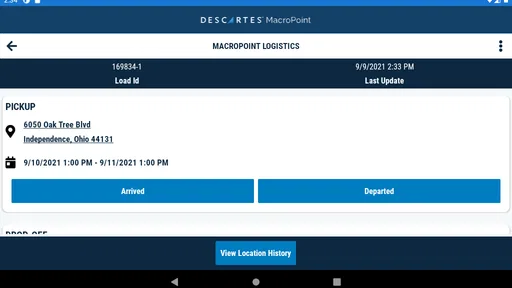
Once the trip is ready, the useful pattern is to treat the app as one part of a routine: check the assigned load, make sure the tracking process is active as expected, then focus on driving rather than repeatedly sending manual updates. If a dispatcher asks for a status, the shared location can help answer the practical question of where the truck is in the trip. The app’s core purpose is automatic communication of arrival, departure, and location to partners, so its value is clearest when those events are what the receiving team needs to know.
A realistic example is a morning pickup followed by a long drive to a consignee. Instead of stopping to send a message every time the truck leaves a yard or approaches the delivery, the driver can follow the agreed tracking process while the partner watches progress. If a delay changes the plan, that is still a moment for direct communication: an automatically shared location should not be treated as a complete explanation of why a schedule has changed. That distinction helps prevent a useful status feed from being mistaken for a conversation.
Worth Reading Before You Choose

EA SPORTS FC Mobile 26 Is a Bigger Football Game, but It Takes Time

Flipboard Shows What News Apps Must Do Beyond the Feed

Switching to Android Auto Means Rethinking Your Driving Routine

Google Calendar Makes a Crowded Week Easier to Manage

Ludo King Makes the Most of the Minutes Between Plans

Baby Panda World Brings Quick Play to Modern Phones, but Its Game Library Feels Busy
Where the handoffs happen
Tracking is only as helpful as the handoff around it. The driver provides the mobile side of the journey, while a partner uses the information to follow progress and coordinate what comes next. In practice, the people involved may include dispatch and whoever is receiving or arranging the load. Keeping the app active for the agreed trip can make routine visibility easier, but it does not remove the need to answer a direct question when something unusual happens.
That is why I would set expectations early: confirm who is watching the load, what they need to see, and whom to contact if a pickup or delivery changes. A location dot can show movement, but it cannot explain a closed gate, a queue, a paperwork snag, or a change of plan. A quick call or message still has a place when context matters. Used this way, the app supports the human handoff instead of pretending to replace it.
Drivers working with several people should also keep communication channels clear. If a dispatcher uses the app for routine progress, there is less reason to send duplicate check-ins through text, calls, and another tracking tool. But I would not assume every partner sees the same information or follows the same process. Before relying on a shared update, verify the workflow with the person coordinating the load. That simple habit can head off confusion about whether a trip is being tracked or whether someone is waiting for a separate confirmation.
Getting Started with MacroPoint for Truckers
First off, setting up MacroPoint for Truckers is as straightforward as it gets. After downloading the app, you'll need to sign up with your email and some basic info. Boom, you're in. The interface is clean and intuitive, which is a breath of fresh air compared to some other clunky apps out there.
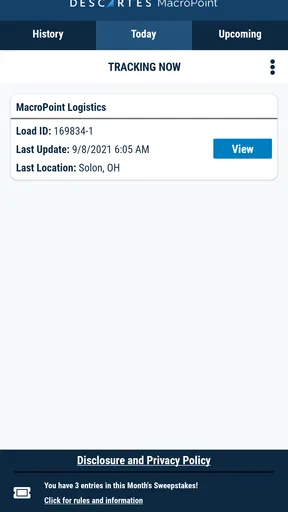
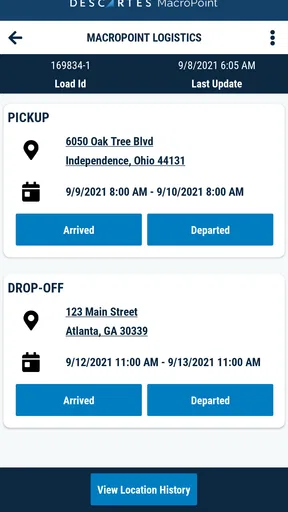
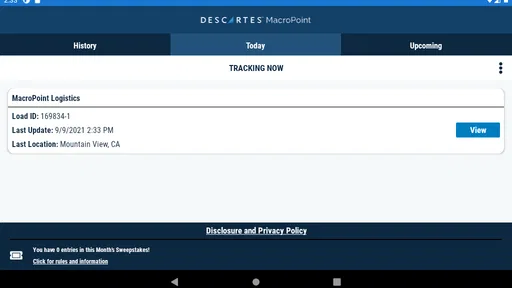
Once you're logged in, you can start tracking your loads right away. The app allows you to input load details, monitor your routes, and update your status with just a couple of taps. It’s like having a personal assistant right in your pocket.
Features That Stand Out
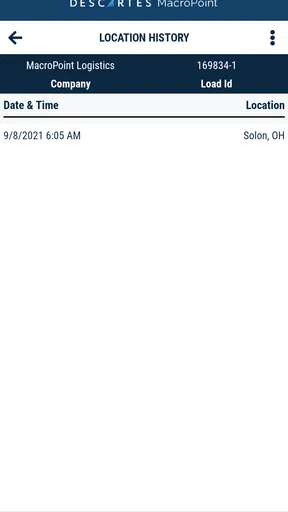
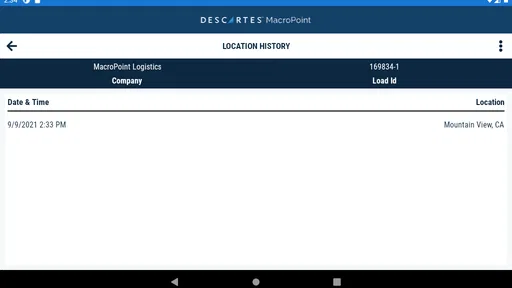
One of the standout features is the real-time tracking capability. You're not just inputting static information; the app actively updates your location and progress. This means your dispatcher can see exactly where you are and when you’ll arrive. No more endless phone calls asking for your ETA!
Another handy feature is the document management system. You can snap a pic of your bills of lading, proof of delivery, and other important paperwork directly through the app. This feature saves time and space, as you won't need to carry around a file full of papers anymore.
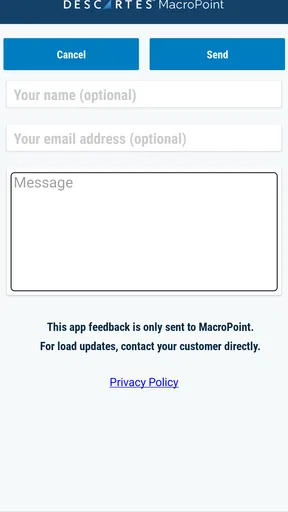
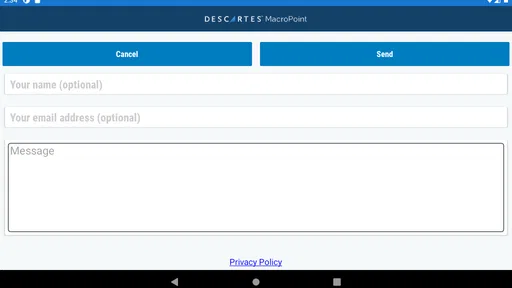
Plus, the app has a built-in messaging system. This keeps all your communication in one place, making it easy to keep track of conversations with dispatchers and other team members. No more sifting through a cluttered inbox to find that one important message.
Making routine use less distracting
For a driver, the best workflow is the one that does not create another reason to handle a phone while moving. I would prepare the load information and check the tracking status before setting off, then leave any detailed messages or corrections for a safe stop. Even when an app is simple to operate, convenience is not a reason to interact with a screen behind the wheel. The value of automatic sharing is precisely that it can reduce the need for repeated manual check-ins.
It also helps to separate ordinary progress from exceptions. If a trip is proceeding normally, location and arrival or departure updates may provide the partner with enough context for basic coordination. If the pickup is delayed, an appointment changes, or the receiving location is not ready, a short human explanation is more useful than expecting a map position to tell the whole story. I find that distinction important: automation handles predictable signals; people still handle judgement calls.
For multi-stop work, I would make a habit of checking that the correct load and next handoff are the ones being discussed before acting on a notification or sending an update. The useful question is not simply “Is the phone showing movement?” but “Does the partner have the right context for this particular leg?” That extra moment can prevent a driver from assuming that a status for one stage answers questions about another. It is a practical way to make tracking more reliable without adding a complicated routine.
User Experience: Smooth Sailing or Bumpy Ride?
Using the app on the road is a breeze. The interface is smooth and responsive, which is crucial when you’re driving and need quick access to information. The menus are logically organized, and the buttons are large enough to tap without having to squint or second-guess your aim.
One minor hiccup is that the app can sometimes be a bit slow to load in areas with spotty cellular coverage. However, this is more of a network issue than an app problem, and it doesn’t detract too much from the overall experience.
Coverage, battery habits, and practical limits
That connectivity hiccup matters more on a long route than it does in a quick test. If the phone has weak service, a driver should not assume every update will appear immediately on the other end. I would treat a delayed refresh as a reason to use ordinary communication when timing is important, rather than repeatedly tapping through screens and hoping for a quicker result. The app can support the operation, but cellular coverage remains part of the chain.
Location-based tools also make phone setup and routine upkeep relevant. Before a shift, it is sensible to check that the device is ready for the day and that the app is available when the load requires it. I would avoid making last-minute changes while moving, and I would not let tracking replace a safe, planned stop to deal with a technical issue. The more a driver relies on the phone for work, the more useful it is to keep a consistent charging and device-check routine.
There is a trade-off in sharing location, too. Some drivers may be comfortable with partners seeing progress during a work assignment; others may prefer clearer boundaries around when tracking applies. The right answer depends on the load and the working arrangement, so I would clarify the expected tracking period with dispatch rather than leave assumptions unspoken. This is not a reason to dismiss the app, but it is a real operational detail worth settling before the trip begins.
How it compares with familiar alternatives
Compared with calling or texting every time a truck reaches a milestone, an app-based location feed can make ordinary updates less repetitive. Calls remain better when there is a decision to make or a problem to explain; they are simply an inefficient way to ask the same basic “where are you?” question over and over. A map shared through a general navigation app may help someone follow a route, but it is not necessarily organized around the shipment handoff and partner communication that matter in a trucking workflow.
Compared with a full truck navigation product, MacroPoint has a different role. Navigation tools are designed to help the driver choose and follow a route, while this app’s strongest use is communicating progress to partners. A driver who needs truck-aware directions should keep using a suitable navigation option rather than expect a tracking app to solve that problem. For many working drivers the sensible setup is not choosing one or the other, but using the right tool for each job and avoiding duplicate tracking when the load coordinator has already specified a process.
There is also a human alternative: a dispatcher can collect updates manually. That can work for occasional loads or teams that prefer direct contact, but it creates more interruption when updates are frequent. The app is a better fit when the partner has a reason to follow progress without calling the driver at every stage. It is a weaker fit when nobody on the other side is using the information or when the driver’s work does not involve these shared shipment updates.
Who benefits most, and who can skip it?
I would recommend trying it if you regularly handle loads where a dispatcher or partner wants location and milestone visibility. It is especially useful for drivers who want fewer routine calls and for teams that need a clearer view of a trip’s progress. Its audience is not limited to one kind of route: the key factor is whether the people coordinating the shipment will use the tracking information.
It may be unnecessary for a driver who works independently, rarely shares location with business partners, or already has a workflow that provides the same updates without extra effort. It is also not the tool I would choose for someone primarily looking for offline navigation, route discovery, or general road-trip planning. Installing another app has little value unless it removes a real point of friction in the driver’s workday.
MacroPoint is free, has an Everyone age rating, and has a 4.5 average from around 69,000 ratings. It has more than a million installs, and its current version is 25.10.08; the app first appeared on April 16, 2013, and works on Android 6.0 or later. Those details suggest a long-running, widely used option, though popularity alone cannot tell you whether your dispatcher’s process fits it. I would judge it by whether it makes your actual load handoffs simpler.
Why Trucker Life is Better with MacroPoint
Overall, MacroPoint for Truckers seems to be a game-changer for those behind the wheel. It streamlines the process of load tracking and communication, allowing you to focus more on driving and less on paperwork and logistics.
The app is designed with you in mind, understanding the unique challenges you face on the road. It’s a powerful tool that enhances efficiency and reduces the stress of managing multiple loads and routes.
In the grand scheme of trucking, this app is like having your own co-pilot. So, if you're looking to simplify your driving life, give MacroPoint a spin. You might find it becomes as essential as your morning coffee.
Pros
- User-friendly interface for easy navigation.
- Real-time tracking enhances delivery efficiency.
- Integrates with multiple dispatch systems.
- Secure data handling ensures privacy.
- Customizable notifications for updates.
Cons
- Requires constant internet connection.
- Consumes considerable battery power.
- Limited offline functionality.
- Occasional app crashes reported.
- Initial setup can be time-consuming.
FAQs for MacroPoint for Truckers
What is MacroPoint for Truckers and how does it work?
MacroPoint for Truckers is a GPS tracking app designed for truck drivers to provide real-time location data to dispatchers and shippers. It works by using the GPS capabilities of your smartphone to report your location at regular intervals. This helps in efficient load tracking and ensures timely deliveries.
Is MacroPoint for Truckers compatible with all devices?
MacroPoint for Truckers is compatible with most Android and iOS devices. However, it's recommended to check the app’s specific requirements on the Google Play Store or Apple App Store to ensure your device meets the necessary specifications for optimal performance.
How secure is my personal information when using MacroPoint for Truckers?
MacroPoint for Truckers prioritizes the security and privacy of its users. The app uses encryption and secure protocols to protect your data. Your location information is shared only with authorized parties, such as your dispatcher or shipper, to facilitate load tracking and management.
Does using MacroPoint for Truckers consume a lot of data and battery?
While MacroPoint for Truckers uses GPS services, which can consume data and battery, the app is optimized to minimize usage. It sends location updates at intervals that balance accuracy with efficiency. Adjusting update frequency in the app settings can help manage data and battery consumption.
Are there any costs associated with using MacroPoint for Truckers?
The basic functionality of MacroPoint for Truckers is typically provided free for drivers. However, costs may be incurred by the freight broker or carrier using the platform. It's advisable to clarify with your employer or contracting company regarding any potential charges related to the app’s usage.


